Zalo OA Tutorial 2026 – Creating Access Token
Table of Contents
To use the Official Account API, your application needs the granted access token from Zalo OA. After the first configuration, you can get the access token by authorization code by following our guidelines in this article.
In this way, the authorization code will be returned via the Callback URL, then you can use this code to request API for getting access token and refresh token.
Step 1: Activate your application on Zalo OA
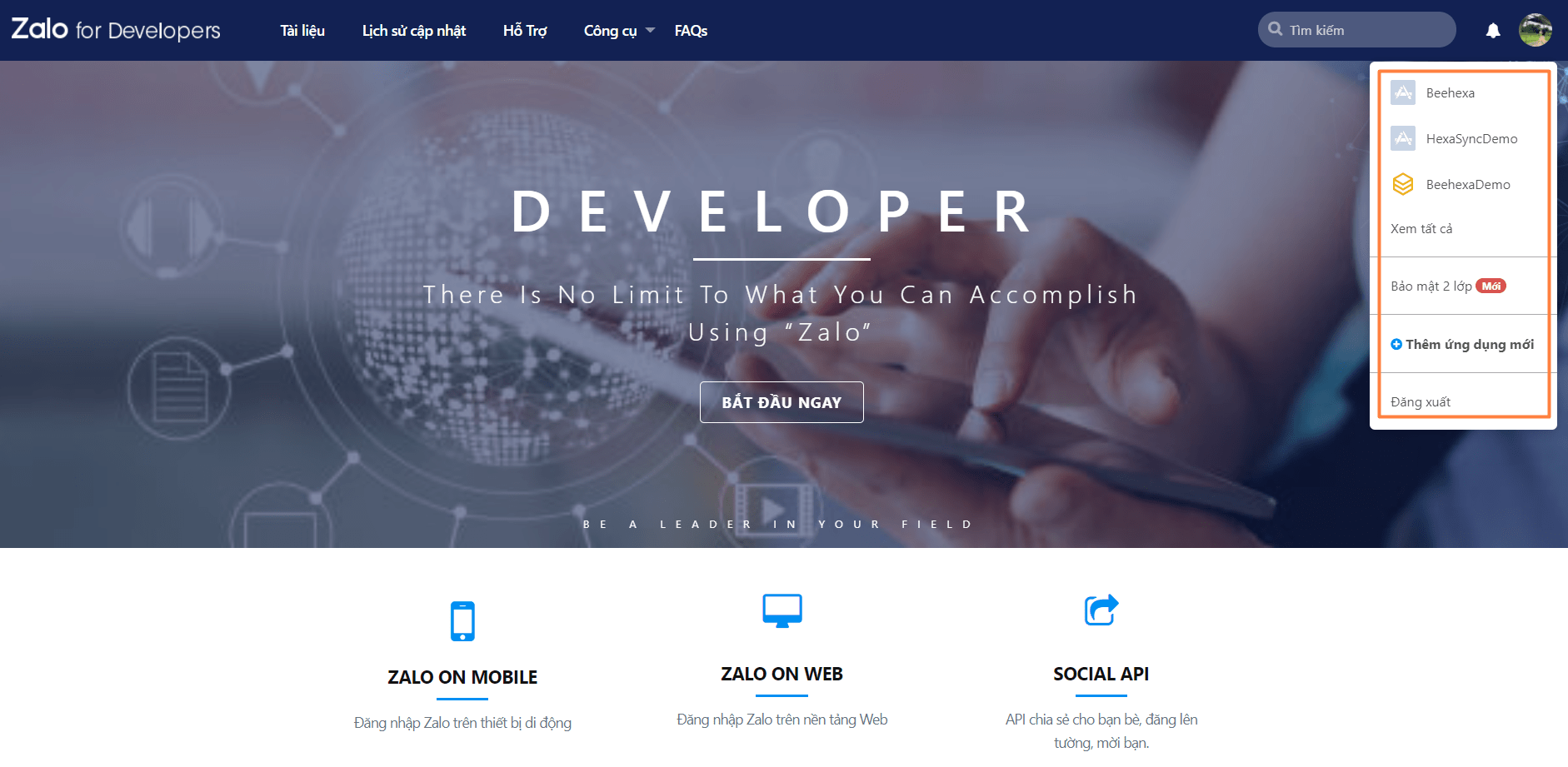
- Go to Zalo for Developers site, click on your account and choose your application
- If your application is not available, click the blue plus icon “Thêm ứng dụng mới”
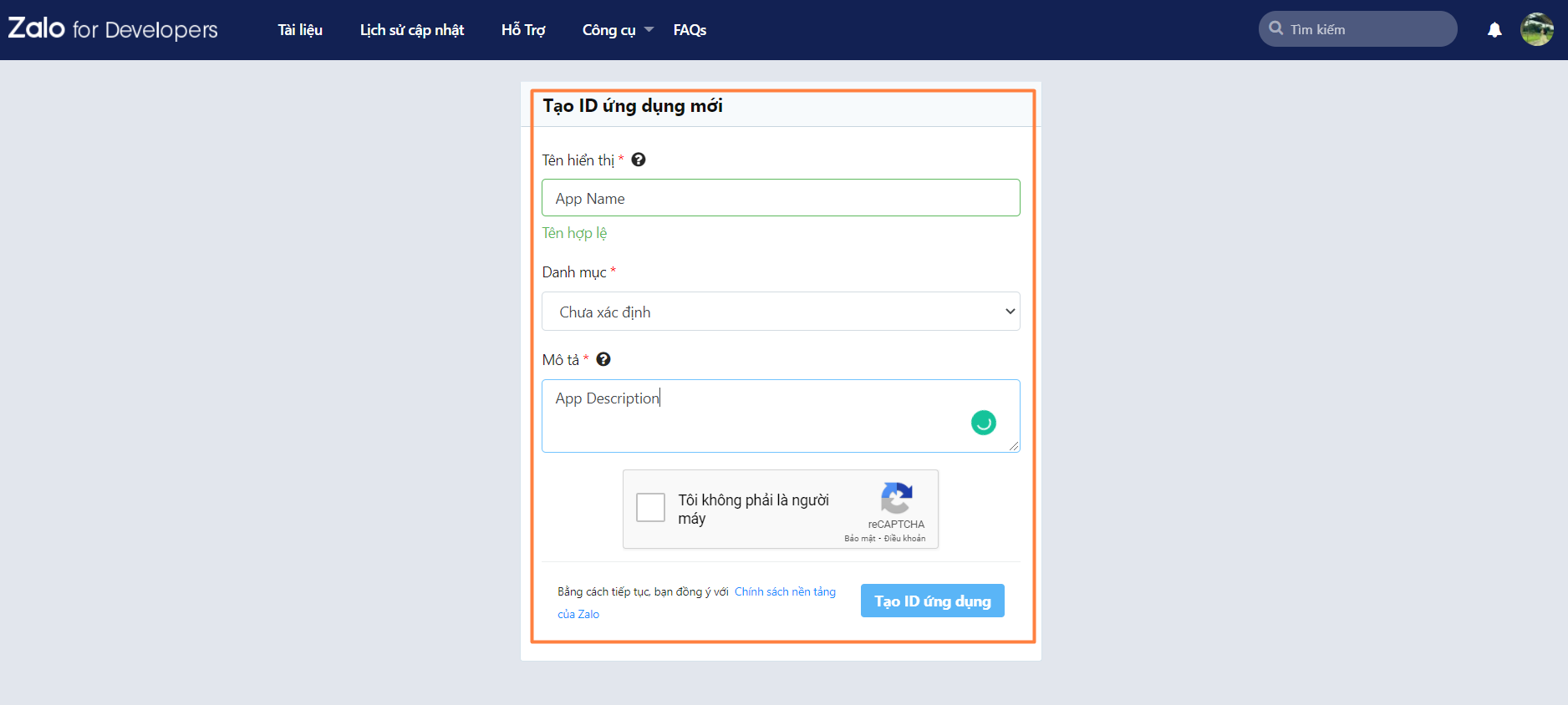
- Fill out the form for creating a new app as below (App Name, App Category, App Description must be between 20 and 500 characters)
- Then click on the Create App ID button
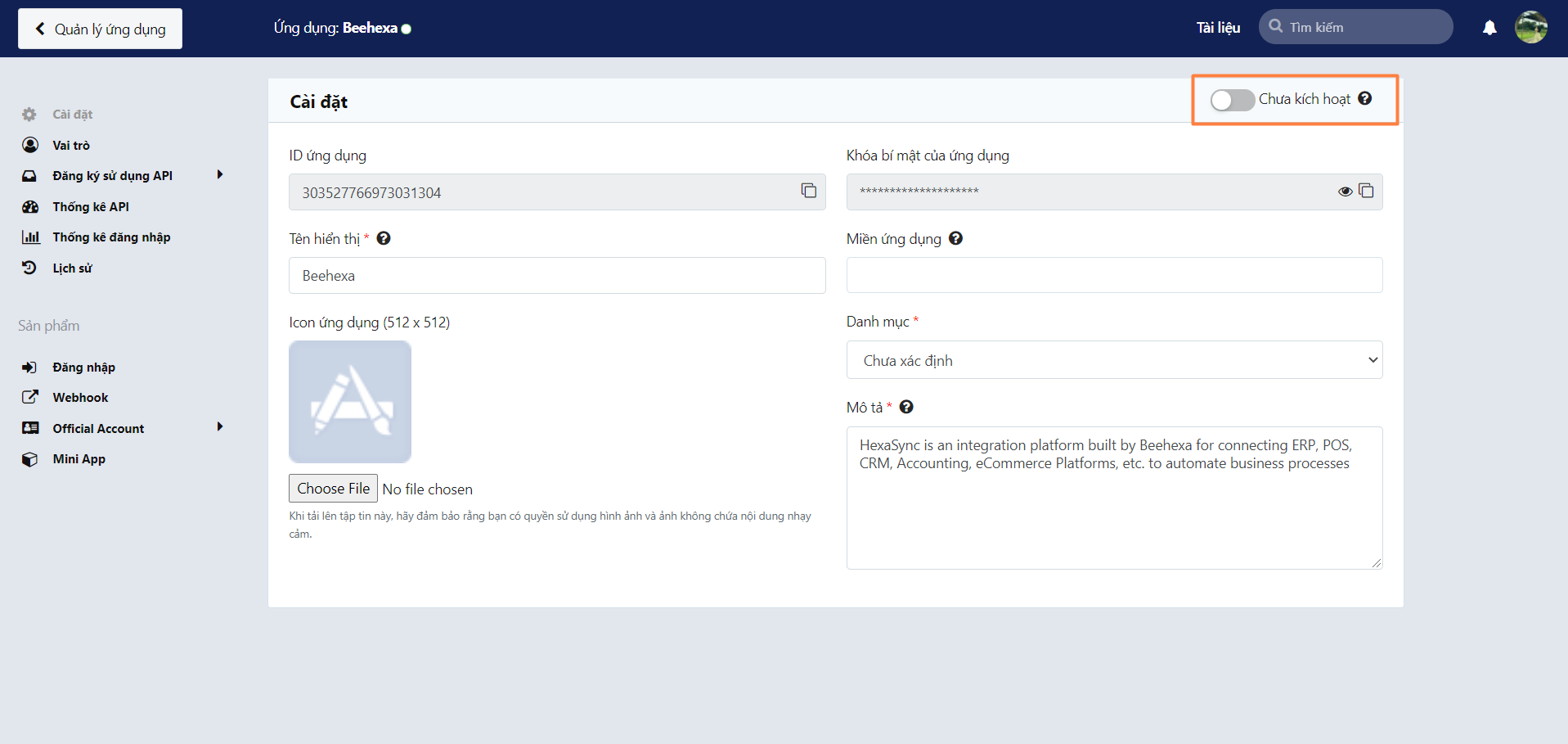
Once the app has been created, switch the toggle in the top right corner to activate your new application
Step 2: Create API access token request in Postman
- Create a new request in Postman
HTTP request
URL: https://oauth.zaloapp.com/v4/oa/access_token
Method: POST
Content Type: application/x-www-form-urlencoded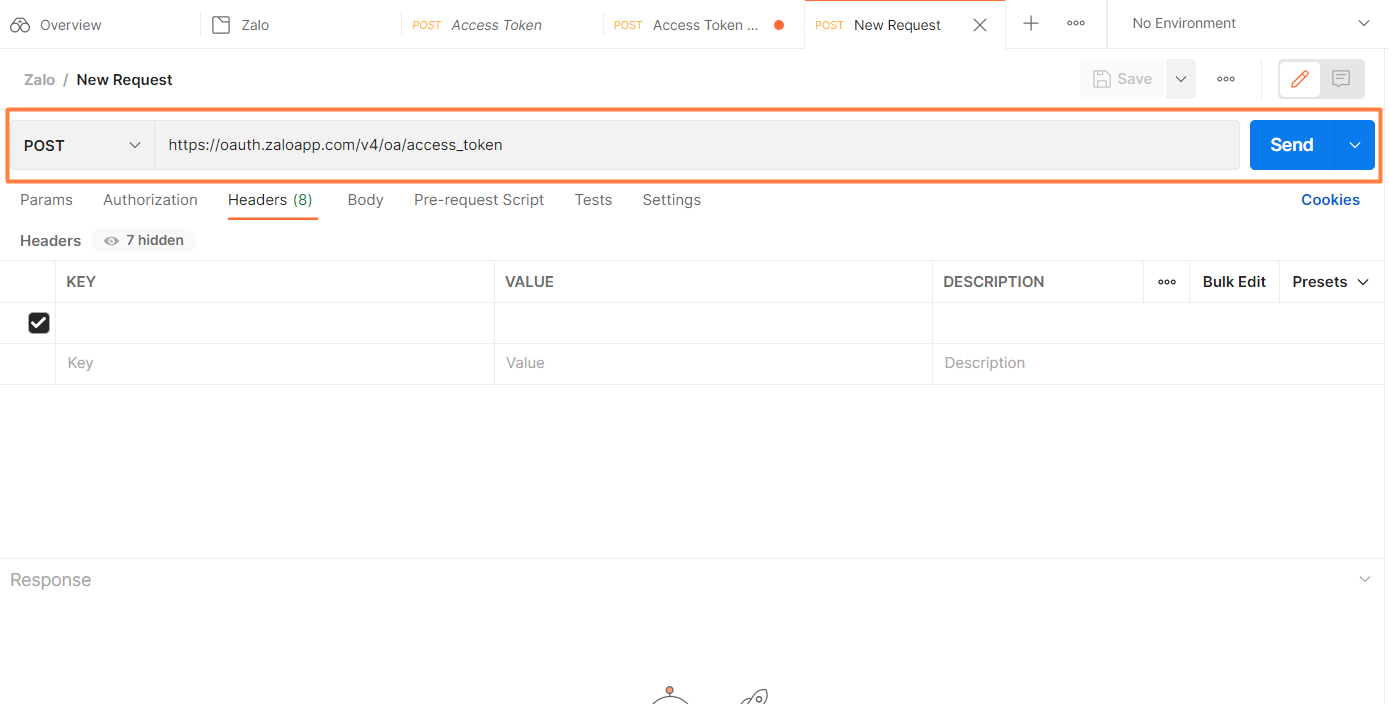
- In the Headers section, the value for secret_key is your Application Secret Key on Zalo.
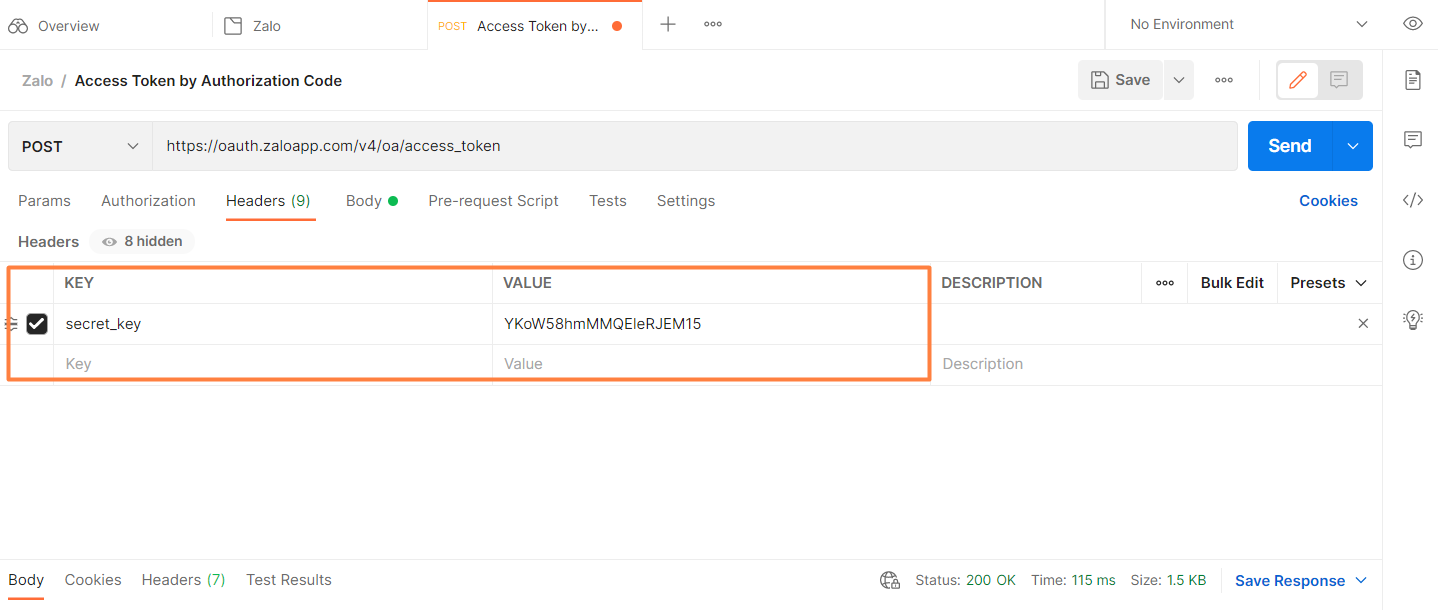
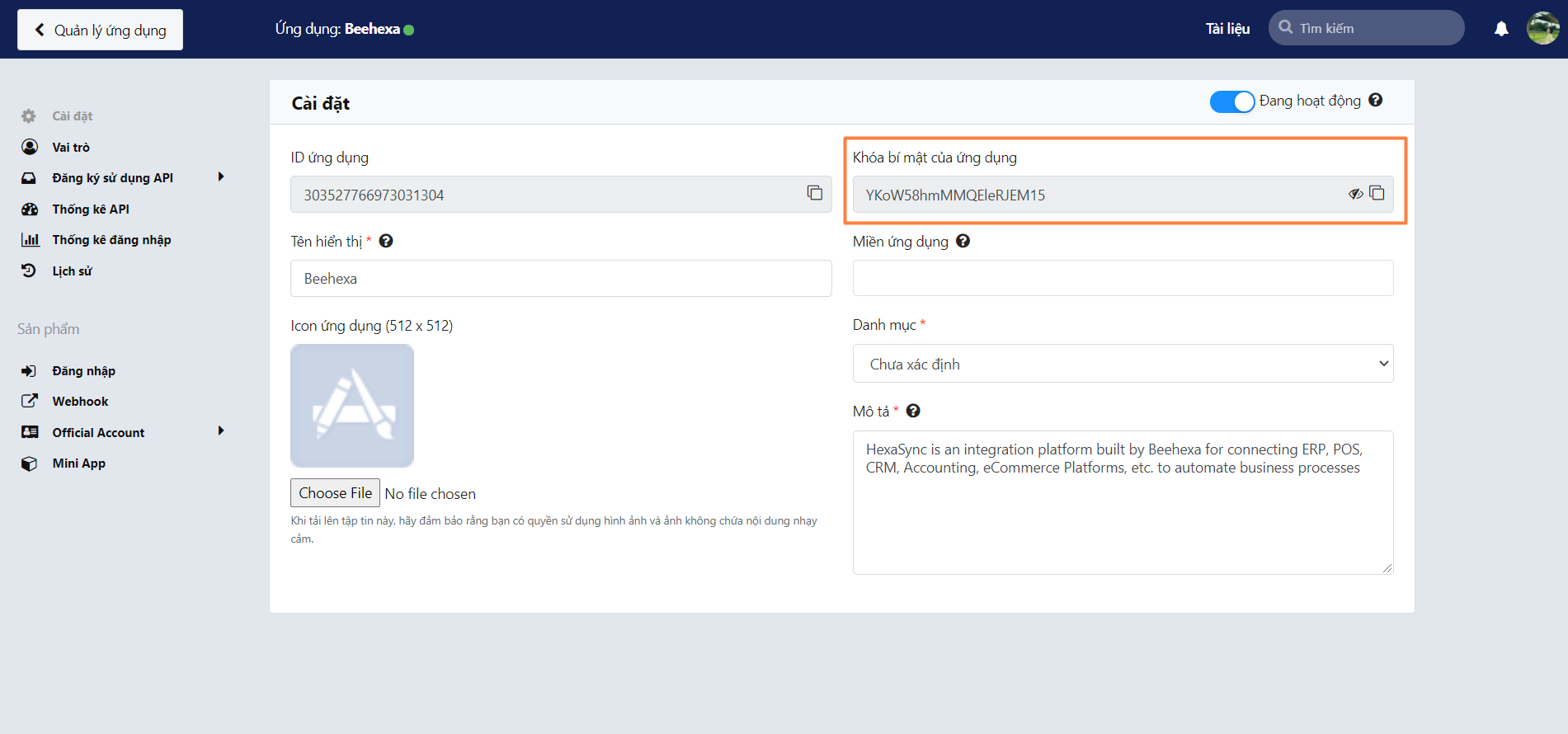
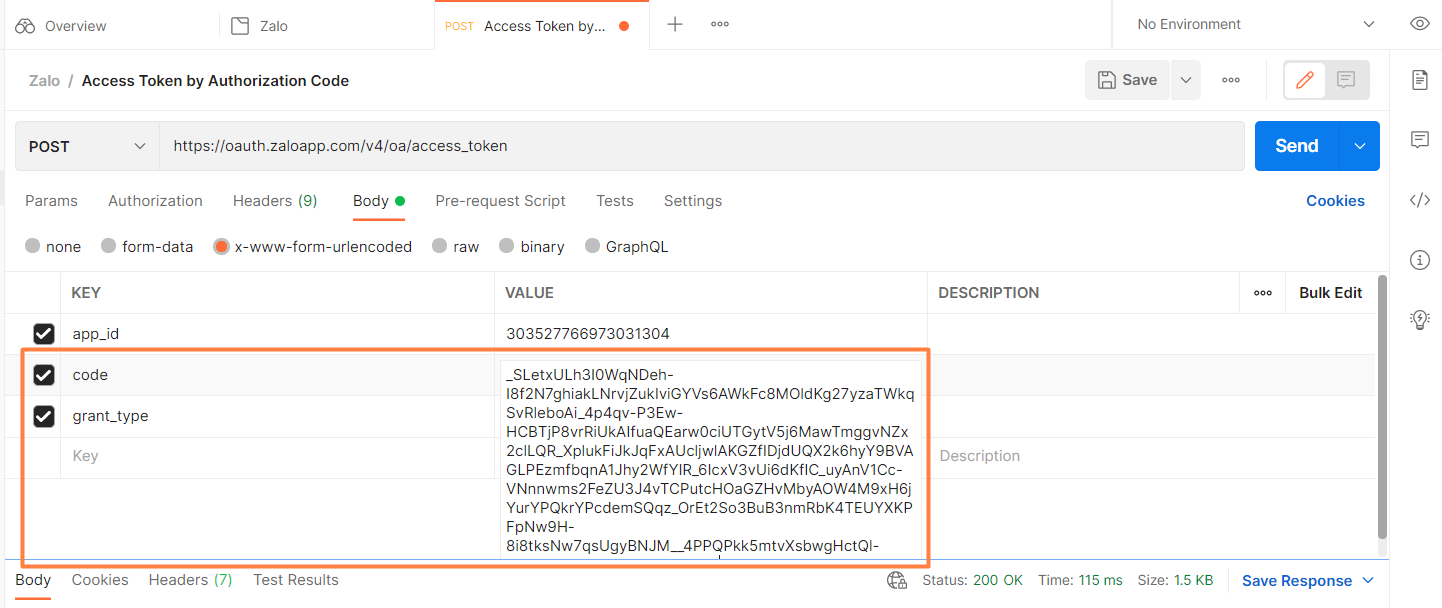
- In Body Structure, fill out the following code for key
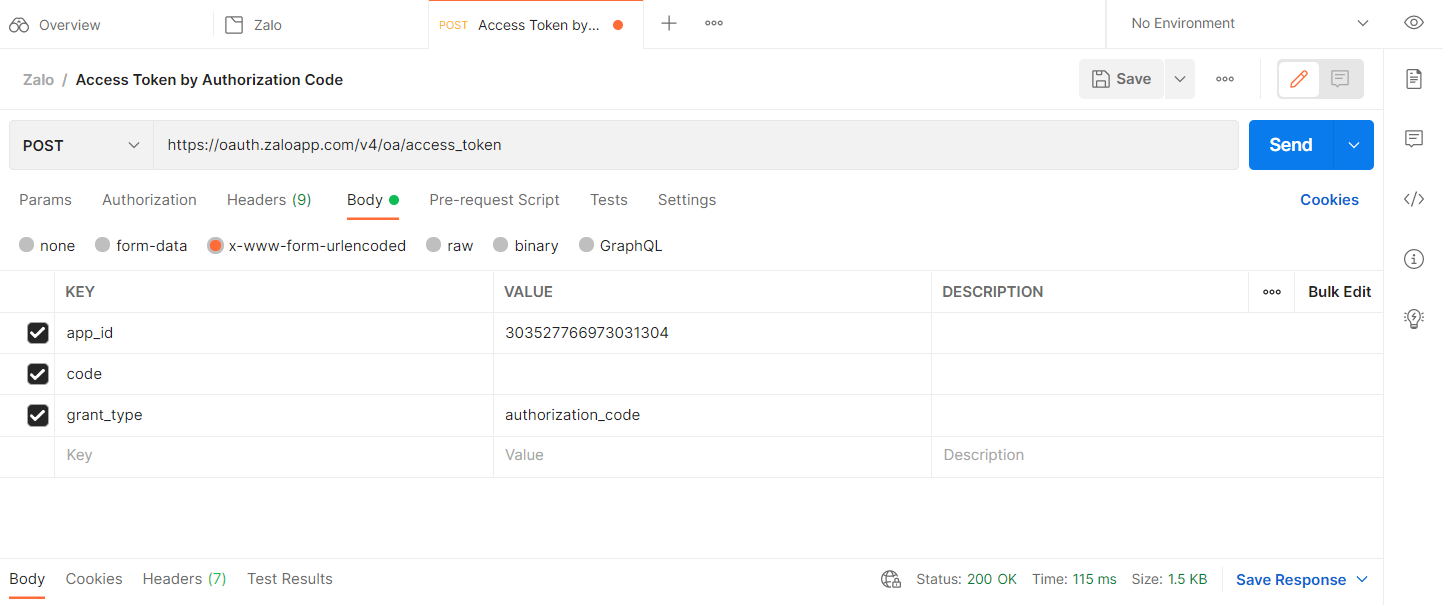
- app_id (your application ID on Zalo)
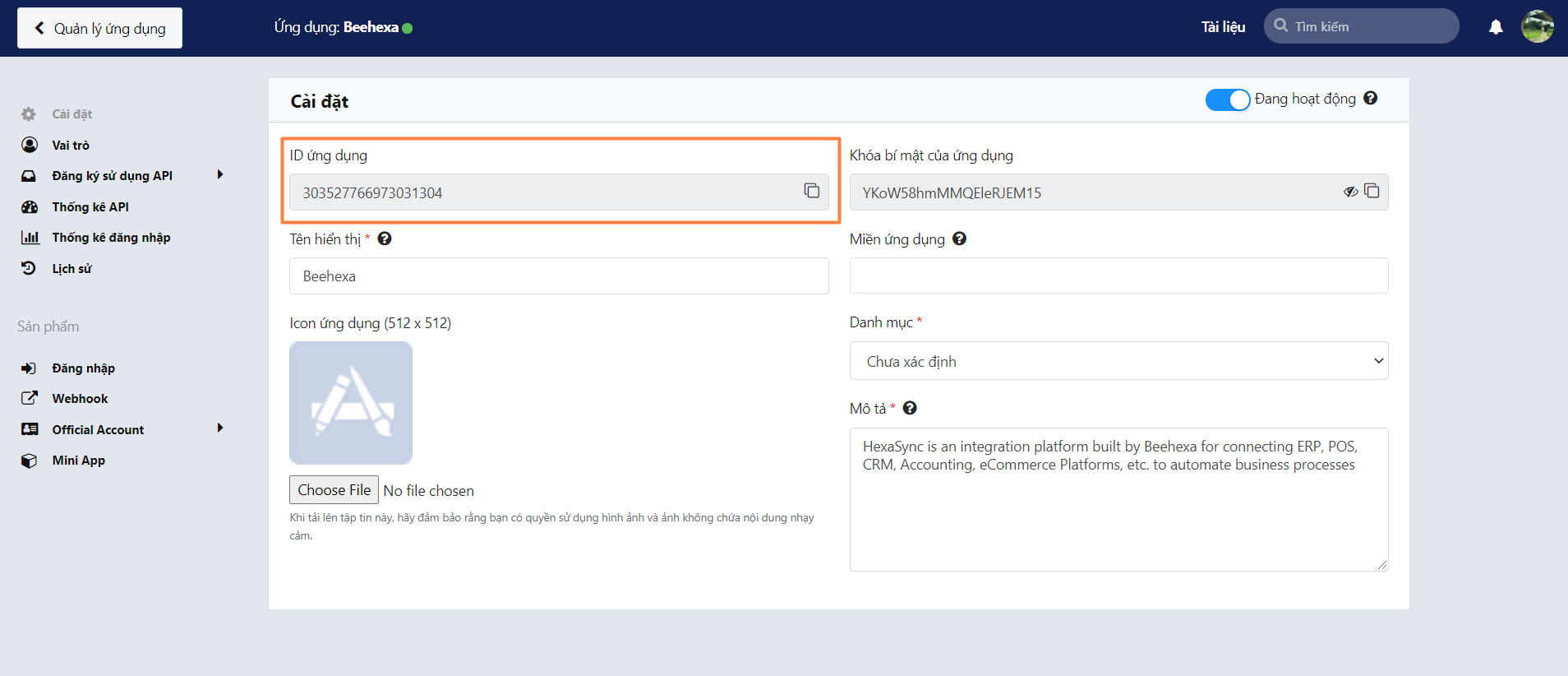
- grant _type = authorization_code
Step 3: Get authorization code of your application on Zalo
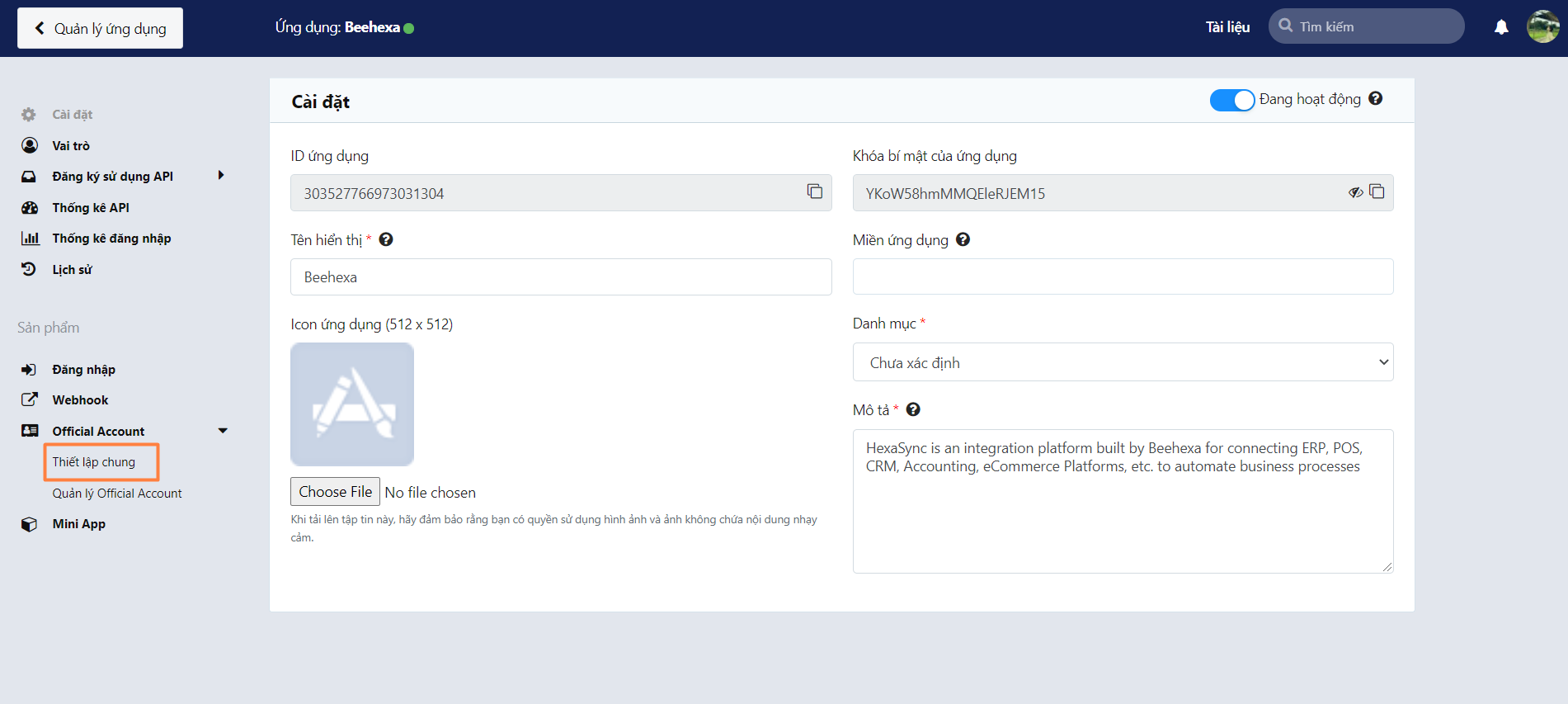
- To get the authorization code for code value in the API request, go to your Zalo OA General settings
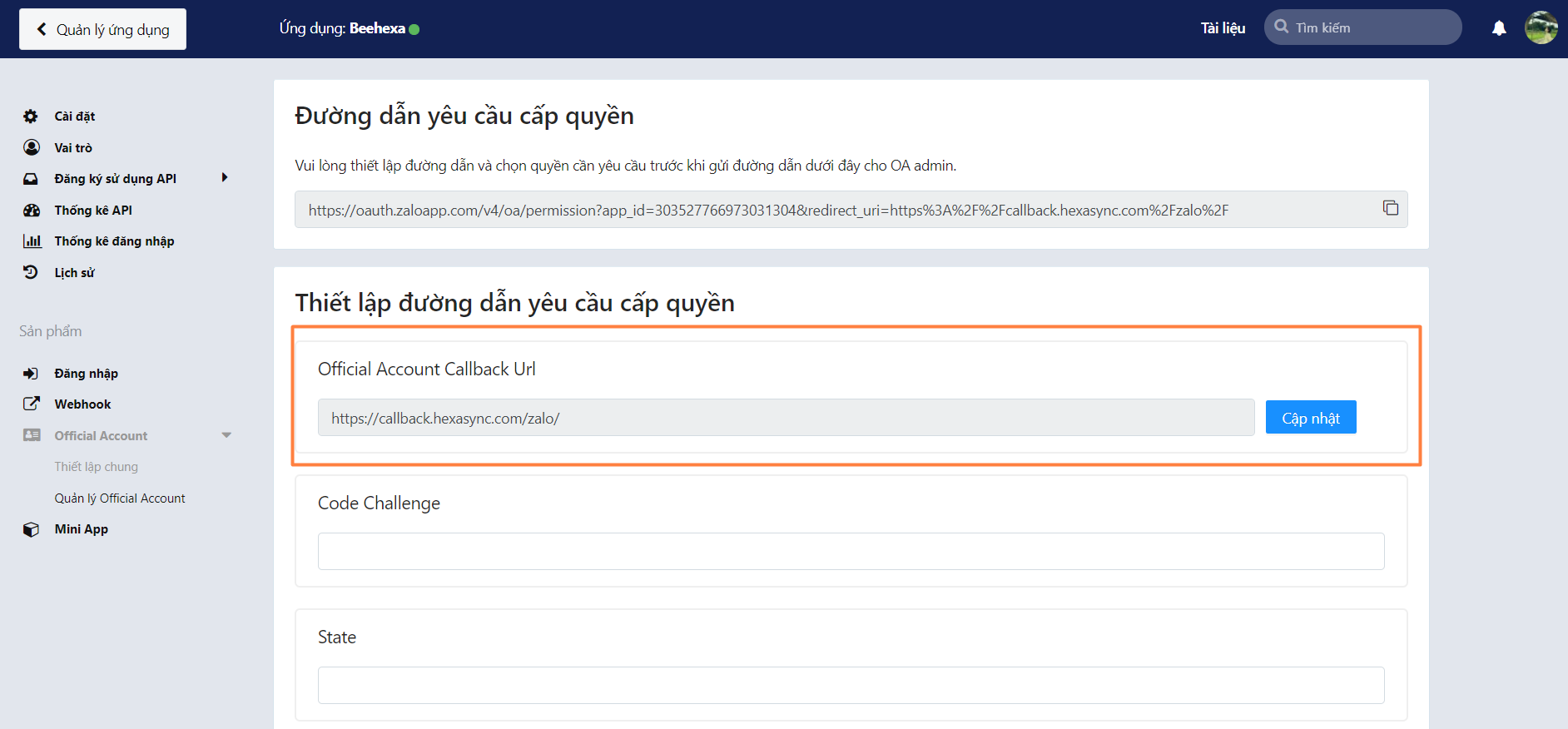
- Copy and paste your app callback URL in the Official Account Callback URL, then click Update.
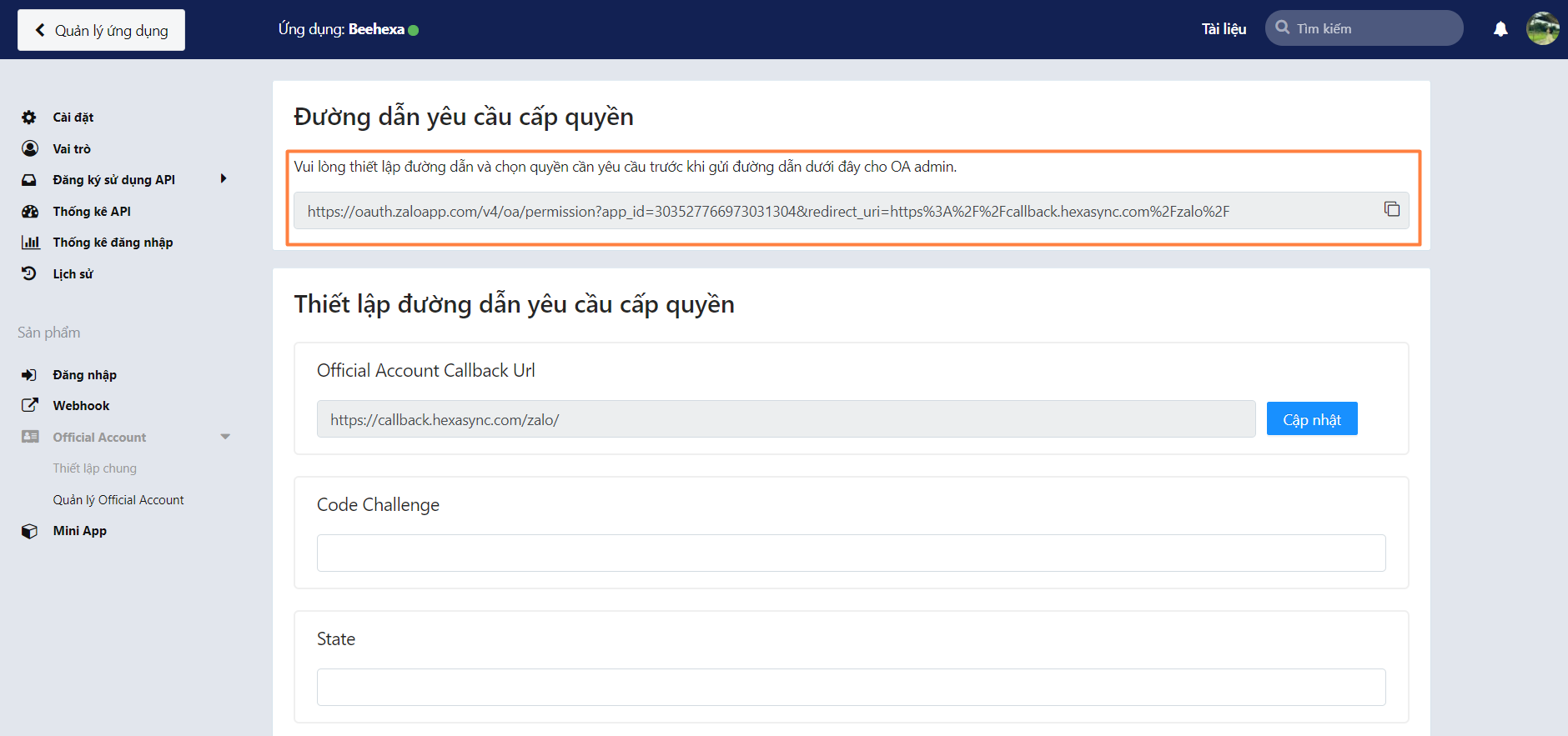
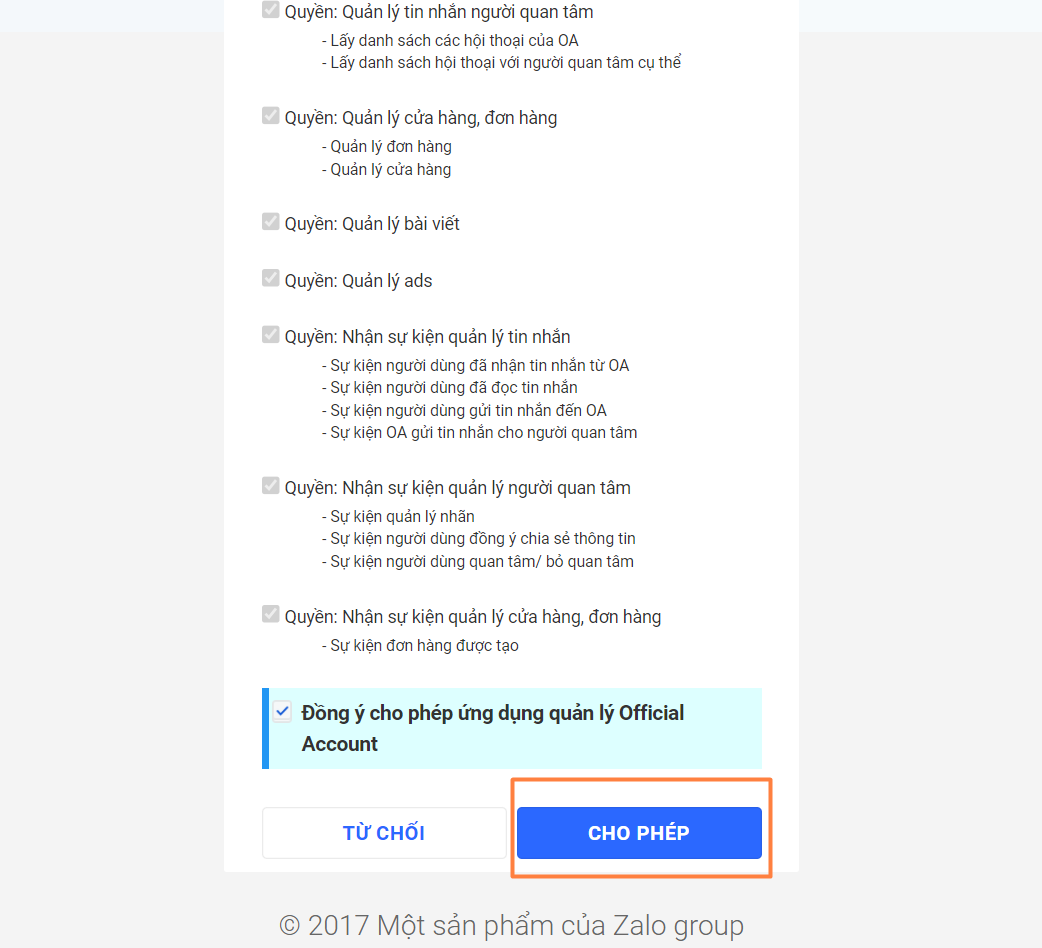
- Open the updated link and grant Zalo access permission to your application
- Copy the whole code appears and paste to Code Value in Postman.
Step 4: Send request and get your access token
After sending the request, the access token and refresh token will be returned as shown below.
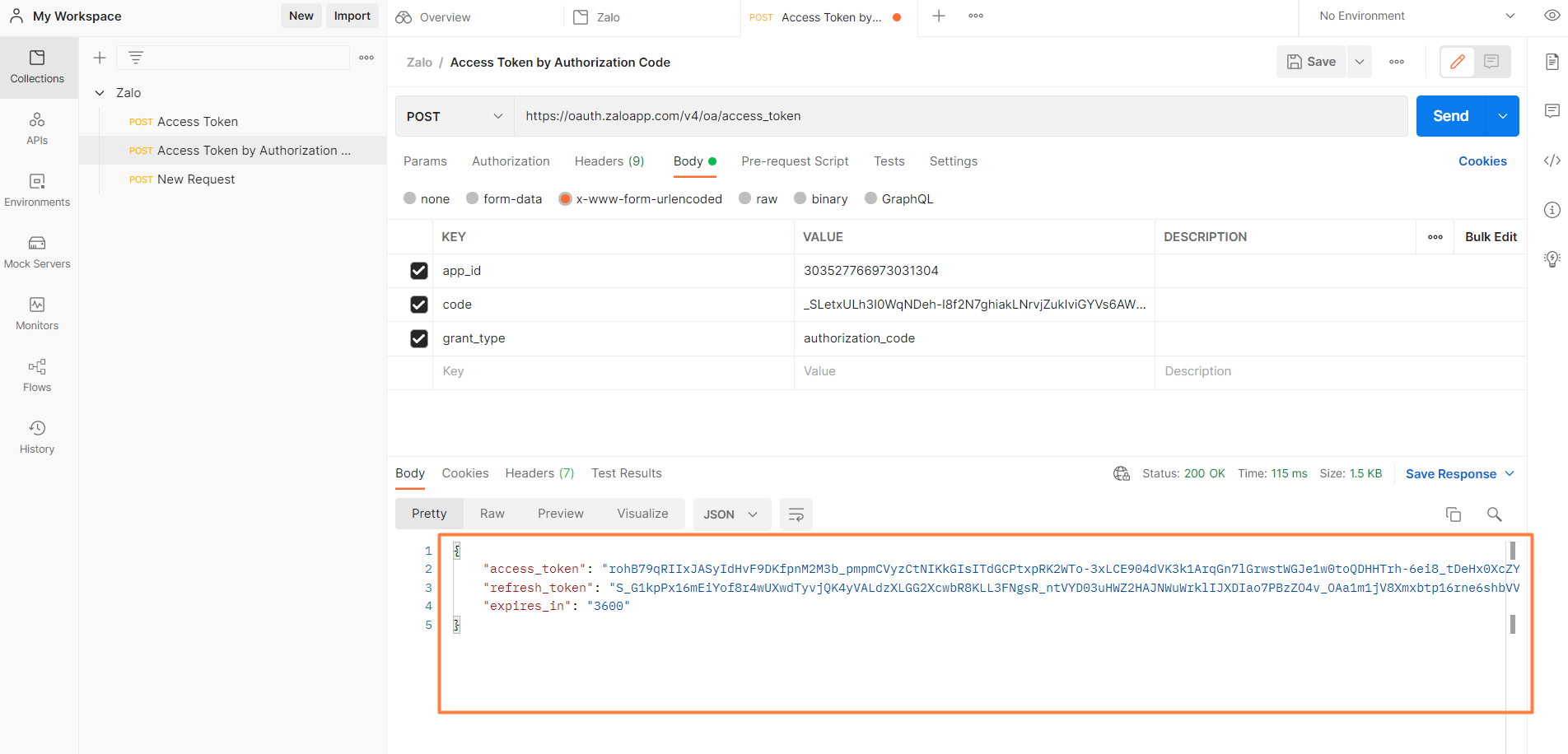
- Access token is used to call Official Account API with the validity period of 1 hour
- Each access token created has a corresponding refresh token, which allows you to recreate a new access token when the current one expires. A refresh token can be used only once with a validity period of 3 months.
I have shown you all steps to create an access token with Zalo OA using Postman. If you have any questions please leave a comment below or refer to our Devdocs.
For more detailed instructions, you can watch our tutorial video.
Last updated: