

A Google Analytics 4 (GA4) report template is a ready-made dashboard you copy and connect to your own GA4 property, so you get traffic, engagement and conversion reports without building them from scratch. The most common place to find them is Google’s Data Studio (called Looker Studio from 2022 until April 2026), whose free report gallery and community templates read GA4 data directly; GA4 itself also has built-in report templates and Exploration templates. Universal Analytics no longer works: standard properties stopped processing data on July 1, 2023, 360 properties on July 1, 2024, and UA data is no longer accessible, so every template you use today should run on GA4.
Below are five free GA4 templates for Data Studio, what each one is good for, and how to set one up, plus the GA4-native alternatives.
Before you start: Data Studio, Looker Studio and GA4
- Data Studio is the current name. Google renamed Looker Studio back to Data Studio in April 2026. The product is at datastudio.google.com, and old lookerstudio.google.com links redirect there, so existing reports and templates keep working.
- Templates are copies. Opening a template and choosing “Make a copy” (or using its data control) lets you point the report at your own GA4 property. Your data is not shared with the template author.
- GA4 metrics differ from Universal Analytics. GA4 measures events and engaged sessions. Its bounce rate is the percentage of sessions that were not engaged (an engaged session lasts longer than 10 seconds, has a key event, or has at least two page or screen views), so it is not comparable with the old UA bounce rate.
1. Google Analytics 4 Report Template for Google Looker Studio
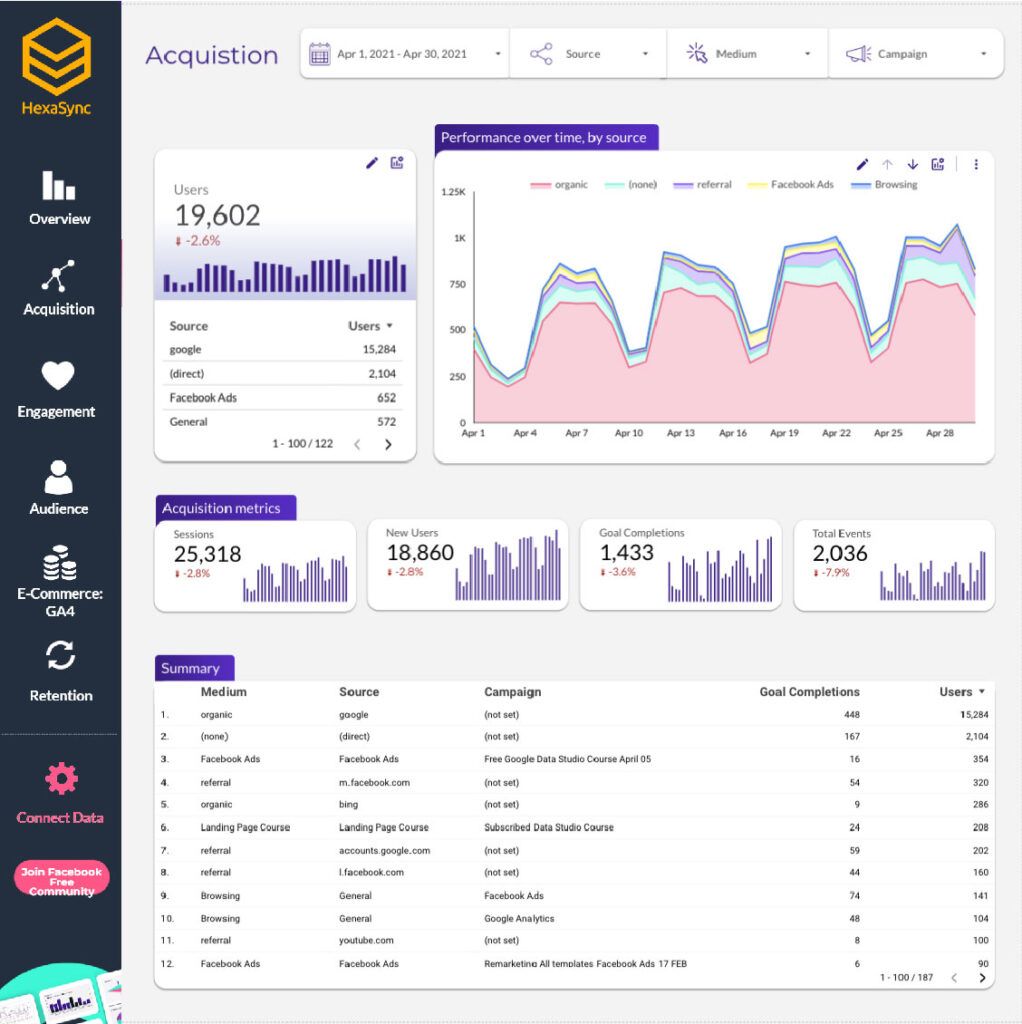
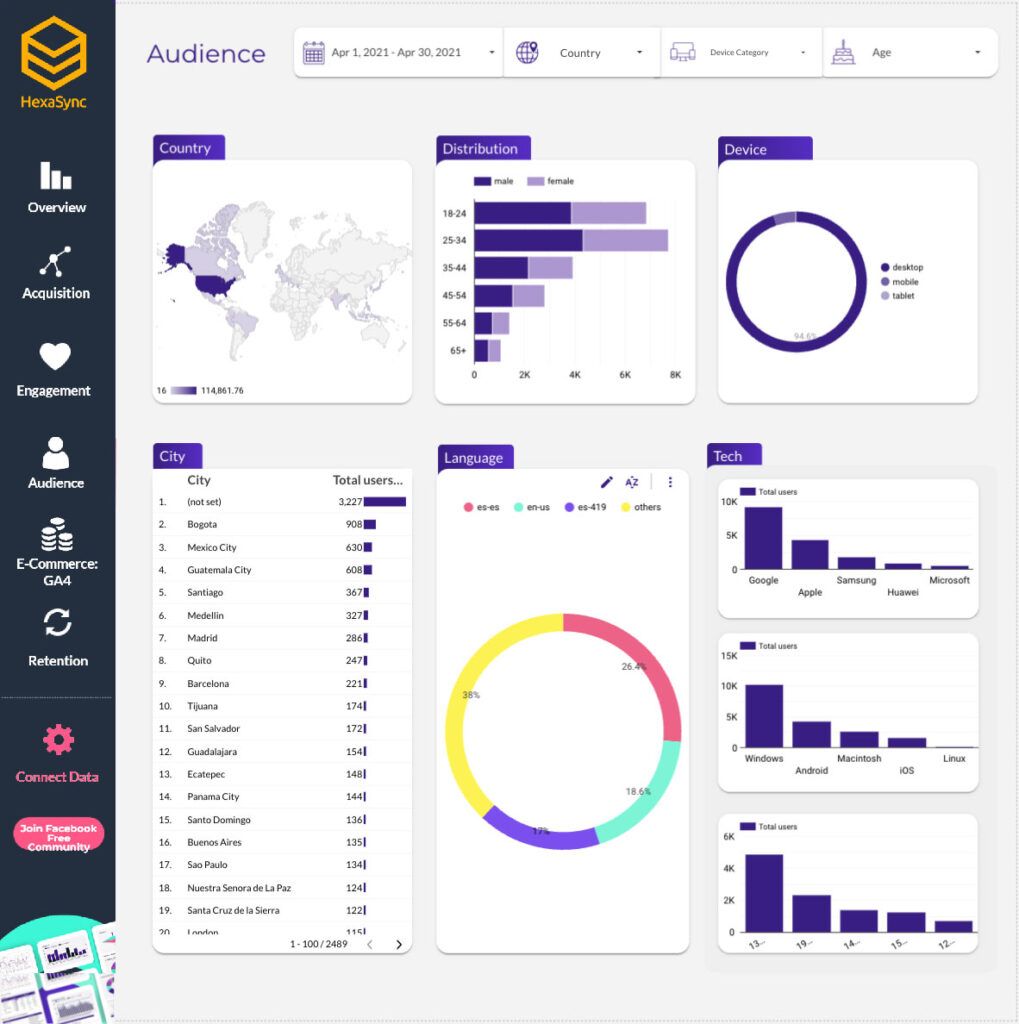
This template is a general starting point for GA4 in Data Studio. It lays out key metrics such as users, engagement, conversions and acquisition channels, and shows traffic trends over time so you can spot content or product gaps. Page performance by region helps local SEO work, and for eCommerce it shows top-selling products and conversion rates.
Best for: small businesses and marketers who want one overview report.
2. Free Google Data Studio Report Templates Kit for Agencies
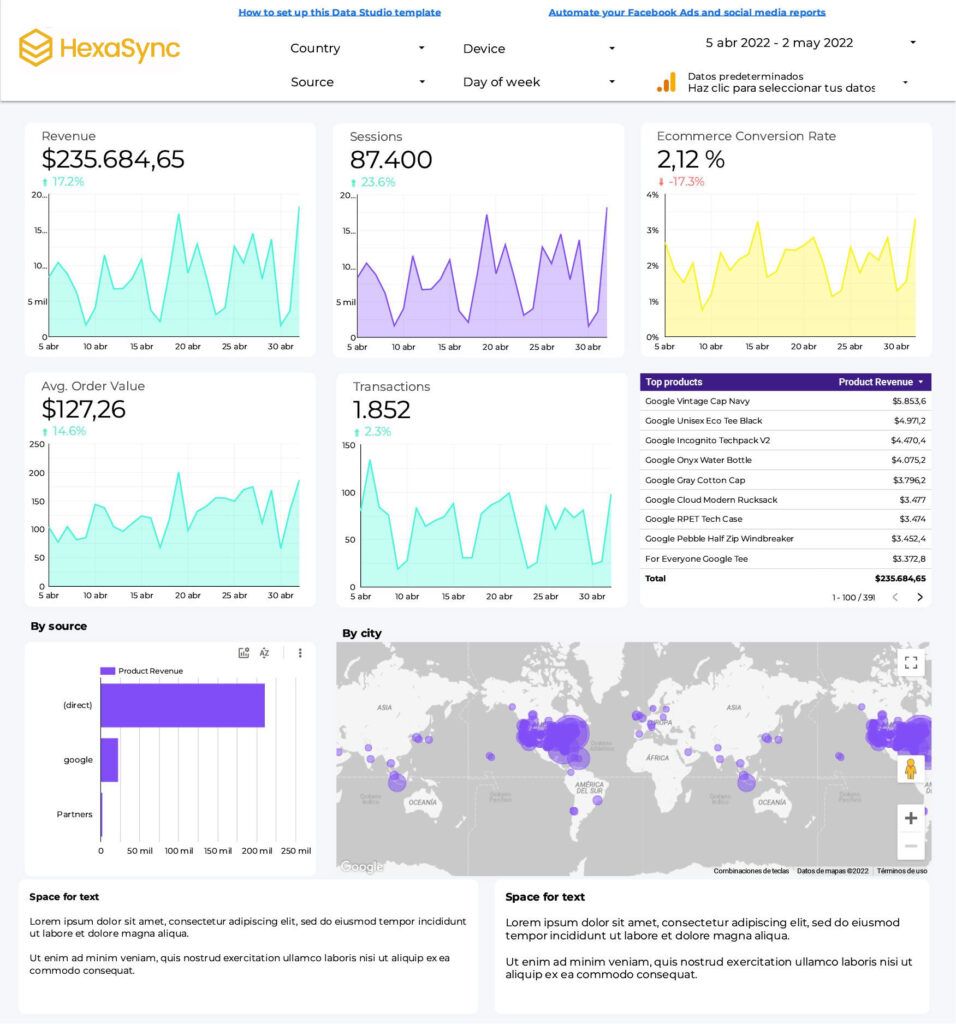
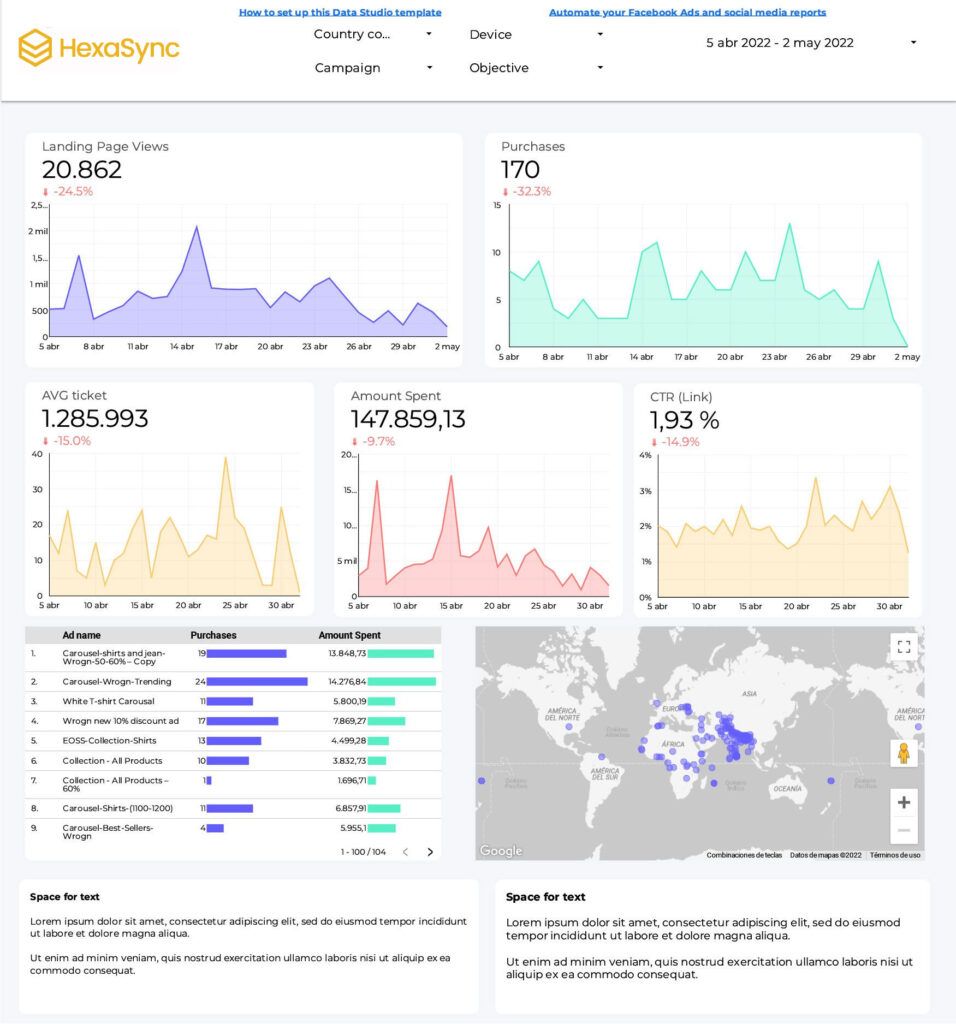
Agencies managing multiple clients will find this kit useful. It brings data from several channels into one dashboard, with eCommerce KPIs alongside Google Analytics, Facebook Ads, SEO metrics and Google Ads campaigns. It simplifies tracking conversions, campaigns and user interactions across clients. Data sources other than GA4 and Google Ads may need a third-party connector.
Best for: agencies and marketing teams that report on several channels.
3. Audience Intelligence with Google Analytics and Data Studio
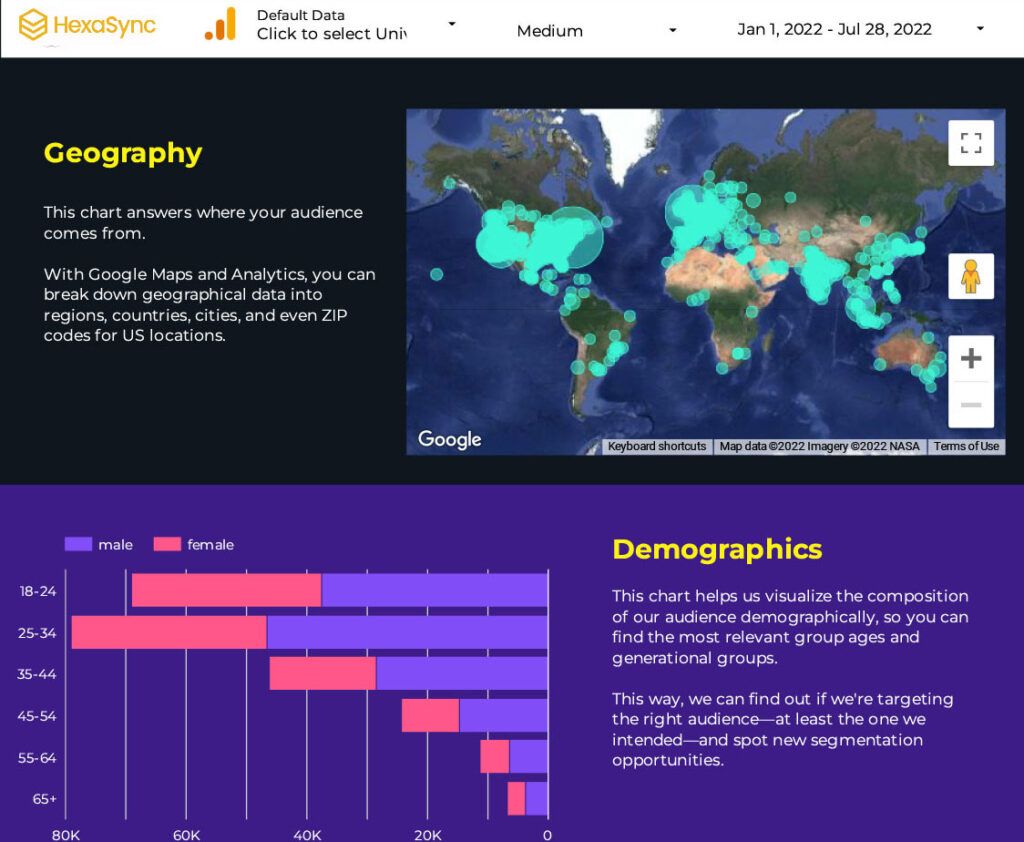
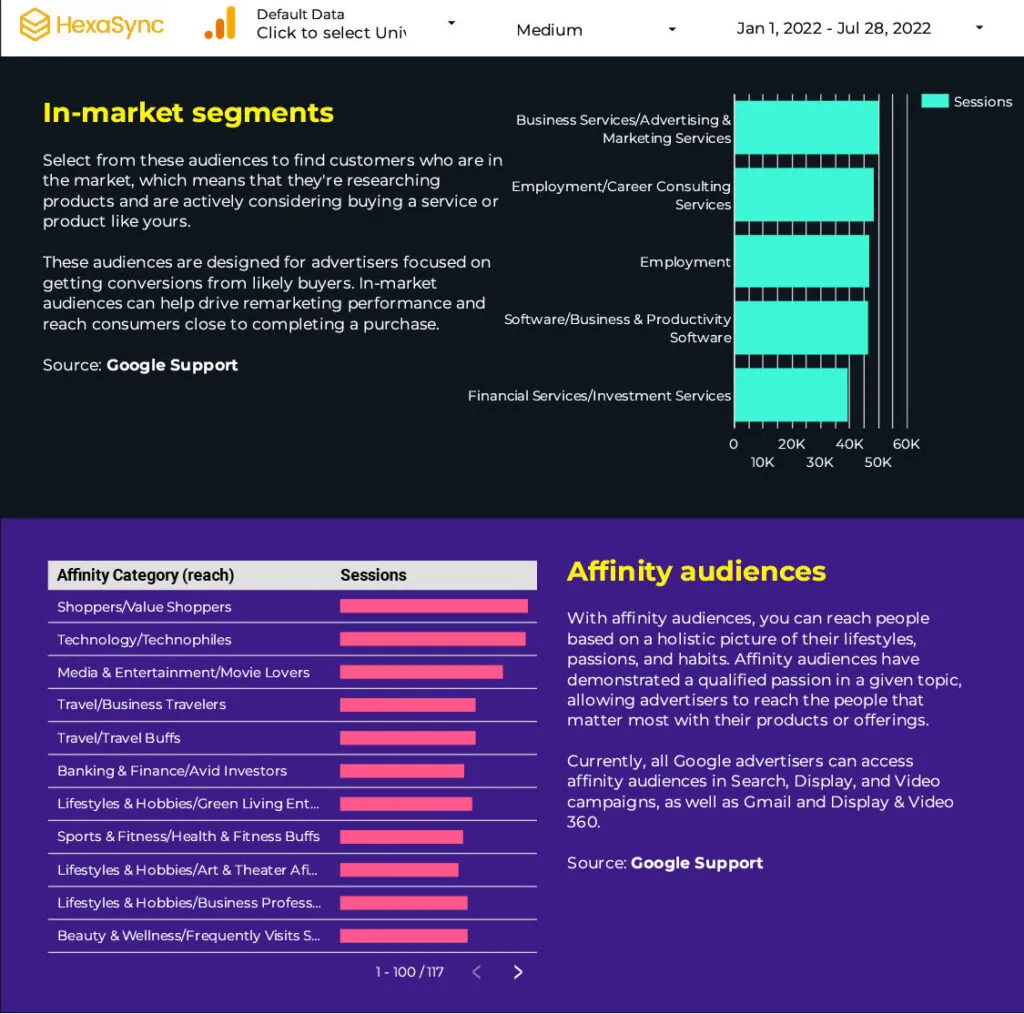
Understanding your audience is key to tailoring your site to their needs. This template focuses on audience segmentation, with an infographic-style view of location, demographics, interests and behavior. Use it to find new trends and patterns in your audience and to inform content, design and marketing decisions.
Best for: marketing teams planning campaigns and content by audience segment.
4. Website Content Performance Report Template
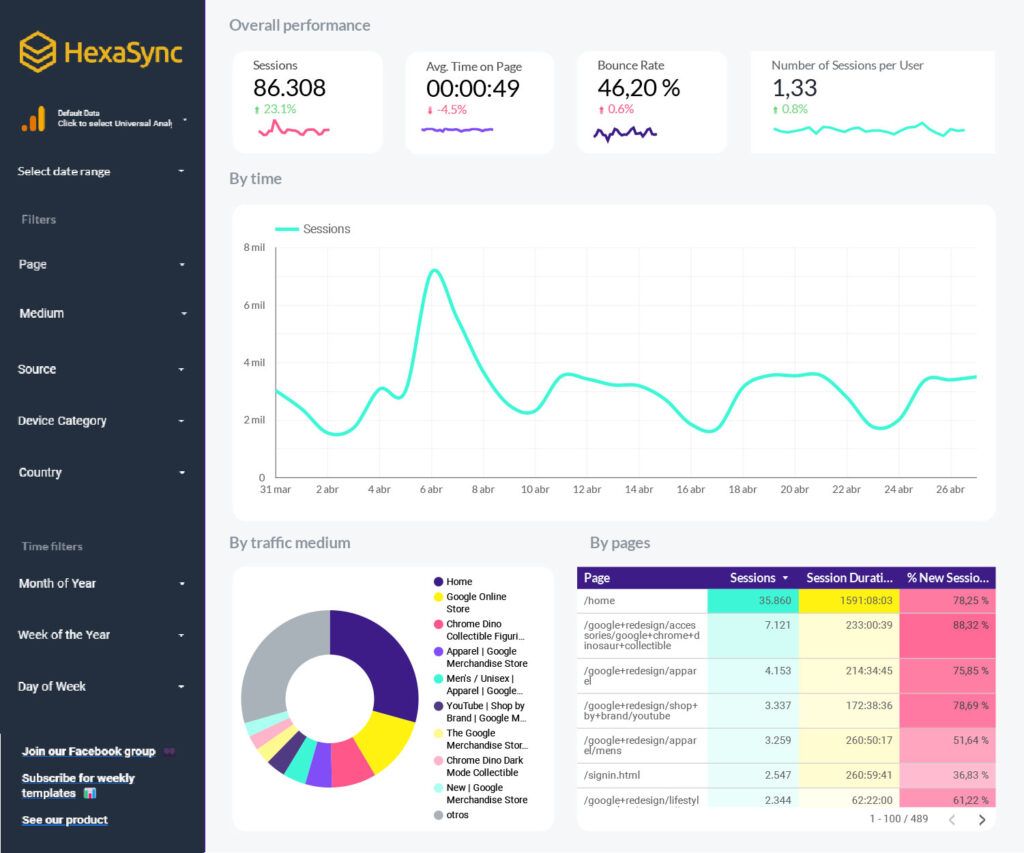
For content creators and marketers, this template evaluates how each page and content group performs. It tracks metrics such as views, average session duration and engagement, broken down by content type or category, so you can see what resonates with your audience and improve your content strategy. In GA4, read engagement rate and bounce rate together: one is the inverse of the other.
Best for: blogs, publishers and content teams.
5. GA4 – Easy Migration Report Template
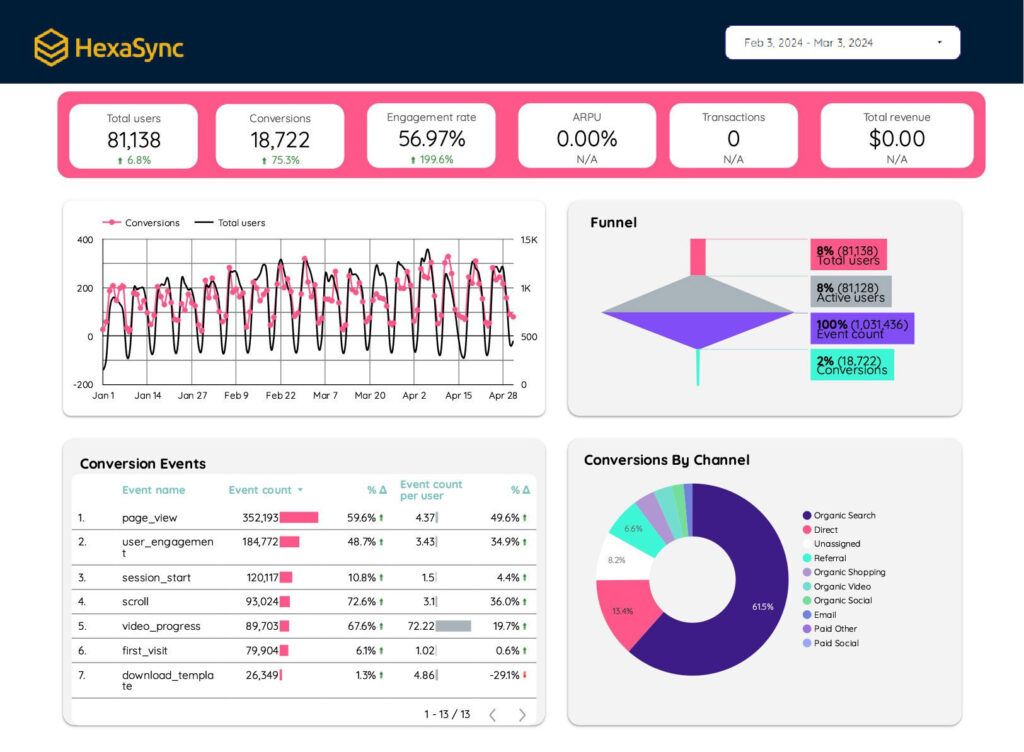
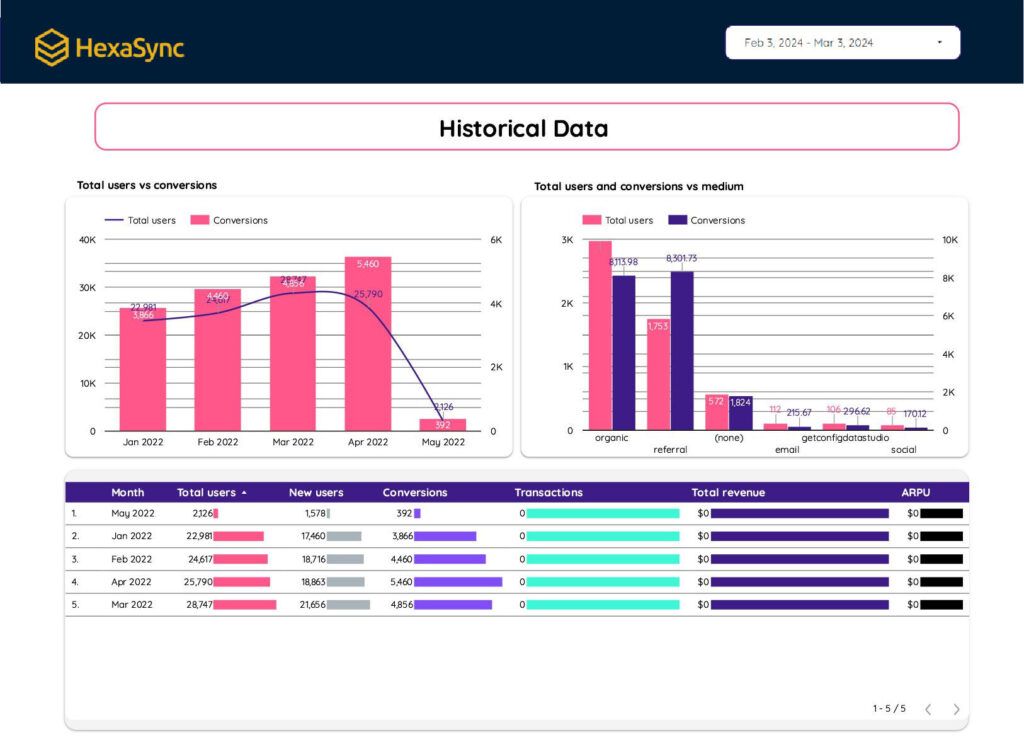
This template was built for the move from Universal Analytics to GA4: it puts familiar session-based KPIs next to GA4’s event-based metrics. Universal Analytics has since been shut down (standard properties stopped processing data on July 1, 2023, 360 properties on July 1, 2024, and access to UA data ended from July 1, 2024), so any part of the template that depends on a live UA data source no longer returns data. Its GA4 pages remain useful as a KPI overview for teams still getting used to GA4 metrics.
Best for: teams that learned analytics on Universal Analytics and want a familiar layout for GA4 data.
How to use a GA4 template in Data Studio
- Open the template link and sign in with the Google account that has access to your GA4 property.
- Choose Make a copy (or use the report’s data control, if it has one).
- Replace the sample data source with your GA4 property, then create the copy.
- Check each chart: rename or remove fields your property does not collect (for example, eCommerce or demographic data).
- Share the copy with your team.
If a template link asks for access or shows an error, the author may have stopped sharing it; use the gallery below instead.
More GA4 templates: the official gallery and GA4 itself
- Data Studio Report Gallery: Google’s official showcase at datastudio.google.com/gallery, with featured, marketing and community reports you can copy.
- GA4 report templates (Library): in GA4, the Library lets admins and editors customize the left-hand report navigation with collections built from starter templates such as Life cycle and User.
- GA4 Explorations: for ad hoc analysis inside GA4, start an exploration from a template. Techniques include free-form, funnel, path, segment overlap, cohort, user and user lifetime explorations.
Conclusion
These five free GA4 report templates for Data Studio give businesses and agencies a quick start on reporting: an overview, a multi-channel agency kit, audience insights, content performance and a UA-style KPI layout. Copy one, connect your GA4 property, and adjust it to the metrics you actually use; for deeper analysis, use GA4 Explorations.
Analytics is most useful when the numbers match your sales and inventory systems. If you also need your store, marketplaces and ERP to share the same orders and product data, Beehexa’s HexaSync integration platform can help; contact Beehexa for details.
Sources
- Google Analytics Help, Universal Analytics sunset dates and data access: https://support.google.com/analytics/answer/11583528
- Google Analytics Help, [GA4] Engaged sessions, engagement rate and bounce rate: https://support.google.com/analytics/answer/12195621
- Google Analytics Help, [GA4] Get started with Explorations: https://support.google.com/analytics/answer/7579450
- Google Analytics Help, [GA4] Customize report navigation: https://support.google.com/analytics/answer/10460557
- Google Cloud, Data Studio overview (formerly Looker Studio): https://docs.cloud.google.com/data-studio/welcome
- Data Studio Report Gallery: https://datastudio.google.com/gallery